One-time lifetime unlock
Activate Hot Player once on a device and keep using it — no monthly app fee and no repeat licence to buy for that device.
Unlock the Hot Player app on your device with a one-time lifetime activation, then load your own IPTV playlist and start watching. This page explains exactly what Hot Player is, how activation works, and how to get set up on Fire TV Stick, Android and Smart TVs in the UK.
Hot Player is a third-party IPTV player app for Amazon Fire TV, Android and Smart TVs. Like other players, it does not come with any channels of its own — instead you add a playlist, and Hot Player turns it into an organised live TV, sports and on-demand experience with a programme guide.
Many devices let you open Hot Player for a short trial. After that, the app asks for a one-time activation to keep working on that device. That is what lifetime activation covers: it unlocks the player permanently on a single device, so you are not asked to pay an app licence again for it.
Activation and subscription are two different things. Activation unlocks the Hot Player app. A subscription is the separate playlist of channels you load into it. To watch, you need both.
Activate Hot Player once on a device and keep using it — no monthly app fee and no repeat licence to buy for that device.
A straightforward layout for live TV, films and series, so the app stays easy to use on a TV remote.
Browse the electronic programme guide and pin the channels you watch most, when your playlist supplies guide data.
Plays HD and Full HD streams smoothly where your playlist and connection support them.
Works with M3U, M3U8 and Xtream Codes logins — the standard IPTV playlist formats.
Runs happily alongside the major VPN apps if you prefer to use one.
Hot Player runs on the everyday streaming devices UK households already own, and accepts the standard IPTV playlist formats.
Each device is activated separately with its own code.
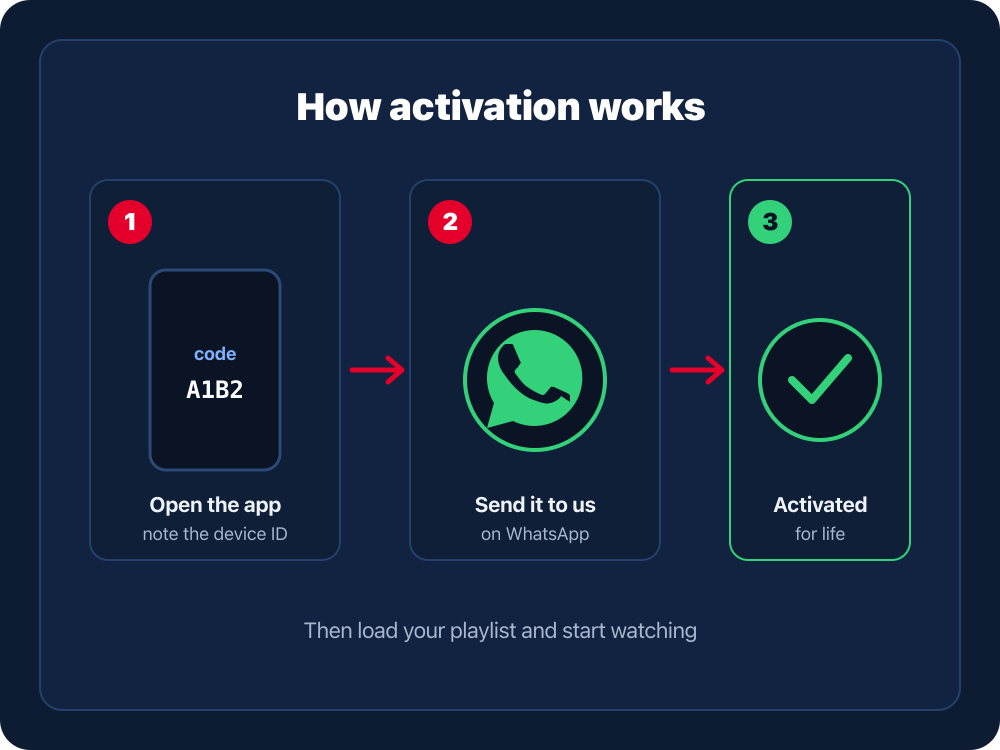
Install Hot Player on your device from its app store (or via the Downloader app on Fire TV) and open it. On the activation screen it shows a device ID, MAC or activation code.
Message our team on WhatsApp with the exact device ID or activation code shown on screen. This is all we need to register your device for lifetime activation.
We add your device code to the activation system. Close the app fully and reopen it so Hot Player re-checks its licence and switches to activated.
Add your IPTV playlist — such as your BOB IPTV UK subscription M3U or Xtream login — and Hot Player loads your channels, guide and on-demand library.
Think of Hot Player as the screen and your playlist as the signal. The activated app gives you the player; a playlist gives you something to watch.
Hot Player, activated for life on your device. It handles the interface, guide and playback.
Your M3U/M3U8 or Xtream login — the channels, sport and on-demand content you add to the app.
Enter the playlist once and Hot Player loads your channels and TV guide, ready to watch.
Need a compatible playlist? A BOB IPTV UK subscription provides a standard M3U or Xtream login that works with Hot Player. See the IPTV setup guide for adding a playlist on any device.
Send us your device code on WhatsApp for lifetime activation, and grab a compatible IPTV subscription if you need a playlist to watch.
Fully close Hot Player (remove it from recent apps) and reopen it so it re-reads its licence. If it still shows as not activated, send us the exact device code on screen and we will re-check the registration.
The activation is fine — this is a playlist issue. Re-enter your M3U/M3U8 URL or Xtream login exactly as supplied and confirm your subscription is active.
Send us the correct device ID from the activation screen. Codes are specific to each device, so activating a second device needs that device’s own code.
This is almost always your connection, not the app. Use a wired connection or stronger Wi-Fi, pause other downloads, and try a lower-bitrate stream where offered.
Hot Player is a third-party IPTV player app for Fire TV, Android and Smart TVs. It plays an M3U, M3U8 or Xtream Codes playlist that you add to it — the app itself does not come with any channels or content.
Many devices can open Hot Player for a short free trial, after which the app asks for a one-time activation to keep using it on that device. Lifetime activation unlocks the player on that single device permanently, so you are not asked to renew the app licence again.
Open Hot Player on your device and note the device ID, MAC or activation code it shows. Send that code to our team on WhatsApp and we will register it. Within a short time the app switches to activated and your added playlist plays normally.
No, and this is the key difference. Activation unlocks the Hot Player app on your device. A subscription is the separate playlist of channels and on-demand content you load into the player. You need both: the activated app, and a playlist to watch.
Yes. Activation only unlocks the app. To actually watch anything you load a playlist — for example a BOB IPTV UK subscription, which gives you a compatible M3U or Xtream login to enter into Hot Player.
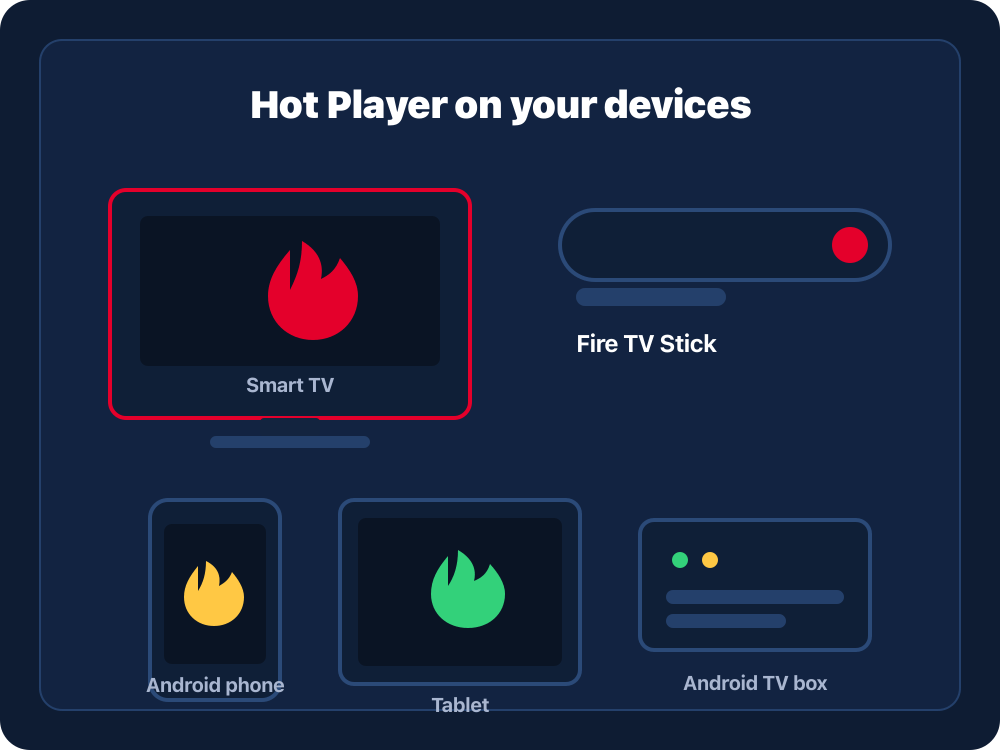
Hot Player runs on Amazon Fire TV Stick and Fire TV, Android phones, tablets and TV boxes, and many Android-based Smart TVs. Each device you want to use is activated separately.
Hot Player supports standard M3U and M3U8 playlist links and Xtream Codes logins (username, password and server URL), which is the same format a BOB IPTV UK subscription provides.
Once you send us your device ID or activation code on WhatsApp, activation is usually completed quickly. If the app does not update straight away, close it fully and reopen it so it re-checks its licence.
Reopen the app to refresh its status first. If it still shows as not activated, message us on WhatsApp with the exact device ID or code on screen and we will check the registration for that device.
Hot Player is a third-party application and any related trademarks belong to their respective owners. BOB IPTV UK is an independent service and offers activation help and compatible IPTV subscriptions; it is not the developer of the Hot Player app.
Message us your device code for a one-time lifetime activation, then load your playlist and watch.